
Role:
Team
Marketing
Key Results
Structured massive content libraries
Increased engagement via "Sticky" navigation
Aligned branding with modular design system
Qmarkets
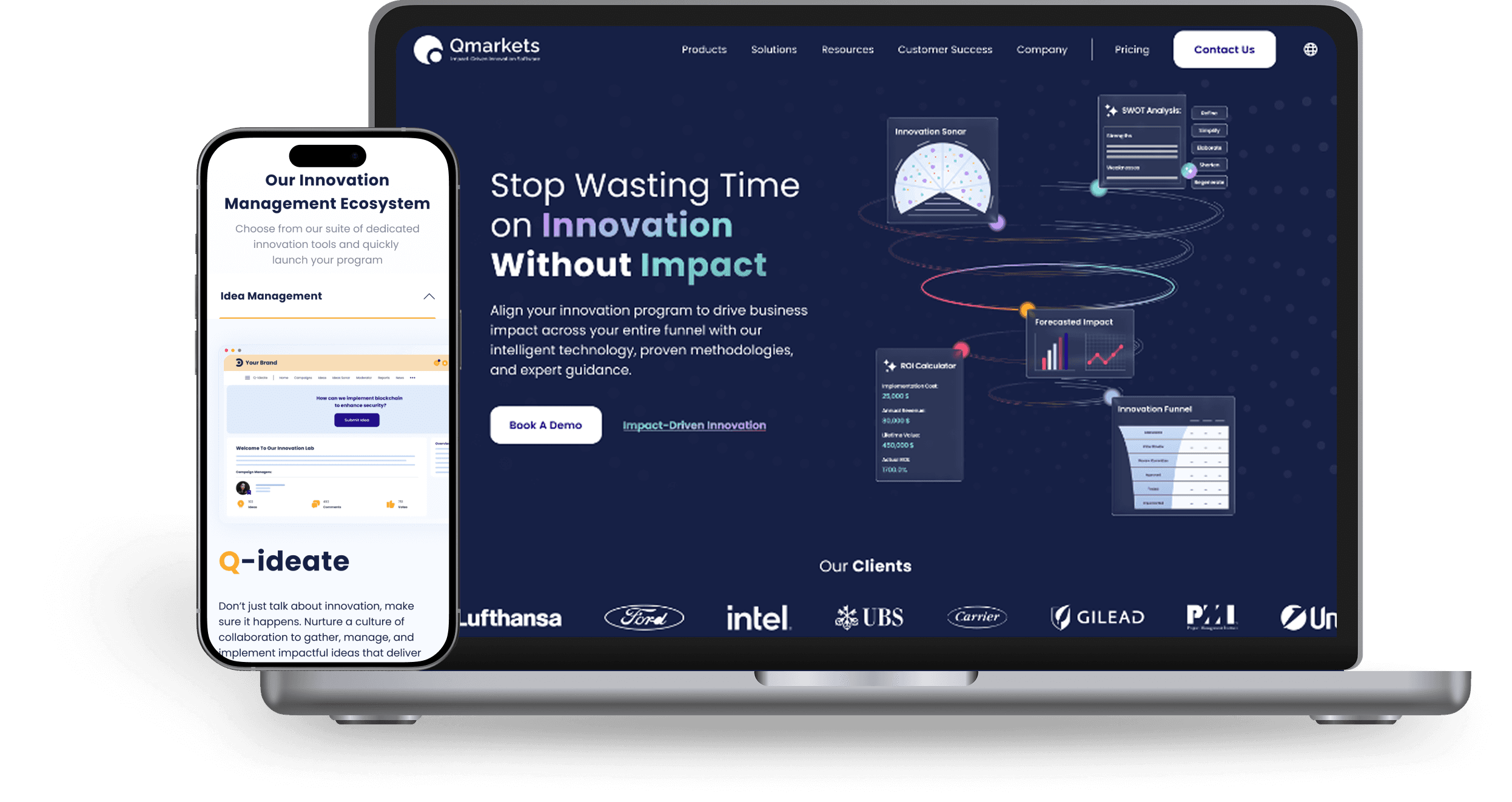
I led the end-to-end redesign of Qmarkets’ corporate website, a leading enterprise innovation platform. The core challenge was reconciling the stakeholder requirement for extensive technical content with the user's need for simplicity. By restructuring the information architecture and implementing smart navigation tools, like sticky sidebars and dynamic accordions. I created a scalable design system that improved readability, boosted engagement, and bridged the gap between marketing goals and user experience.
The Challenge
The core challenge lay in resolving two conflicting goals:
Business Requirement:
Stakeholders and SEO teams insisted on retaining massive amounts of technical text and detailed documentation to support search rankings and credibility.
User Need
Our target audience (busy CTOs and Executives) required quick answers and a clean, scannable interface.
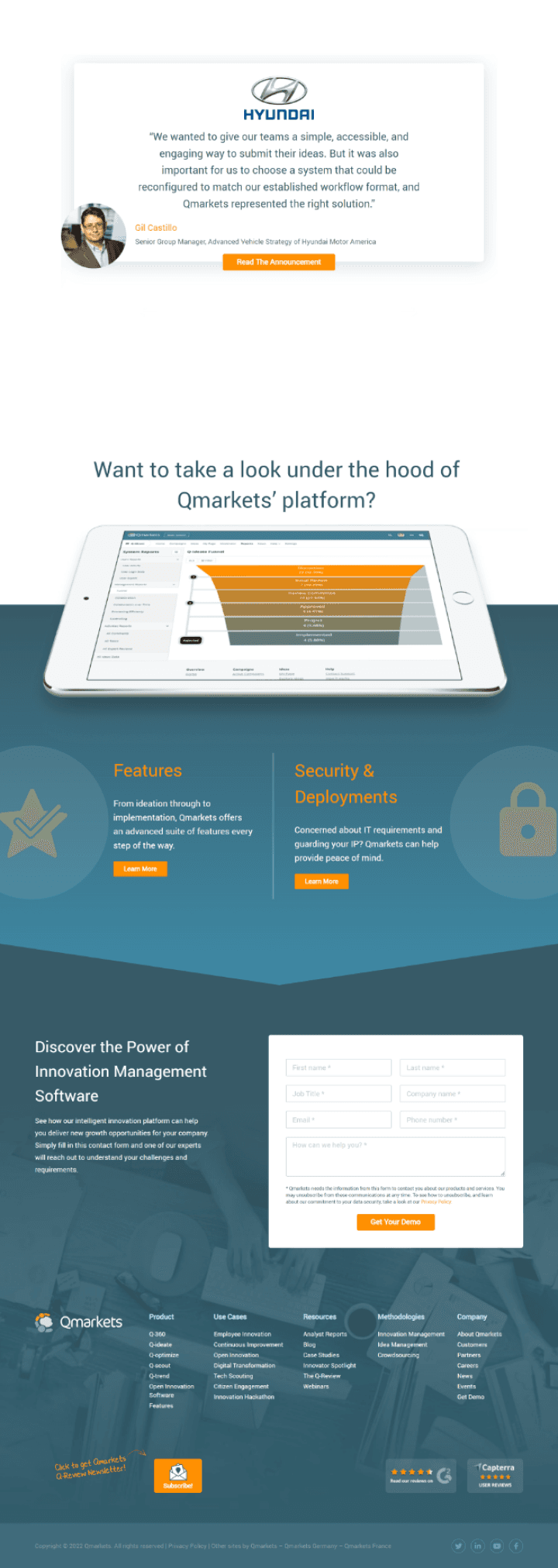
The existing site prioritized content volume over structure. Heatmap analysis confirmed that visitors were overwhelmed by the cognitive load, rarely scrolling past the fold due to poor hierarchy and lack of clear navigation markers.
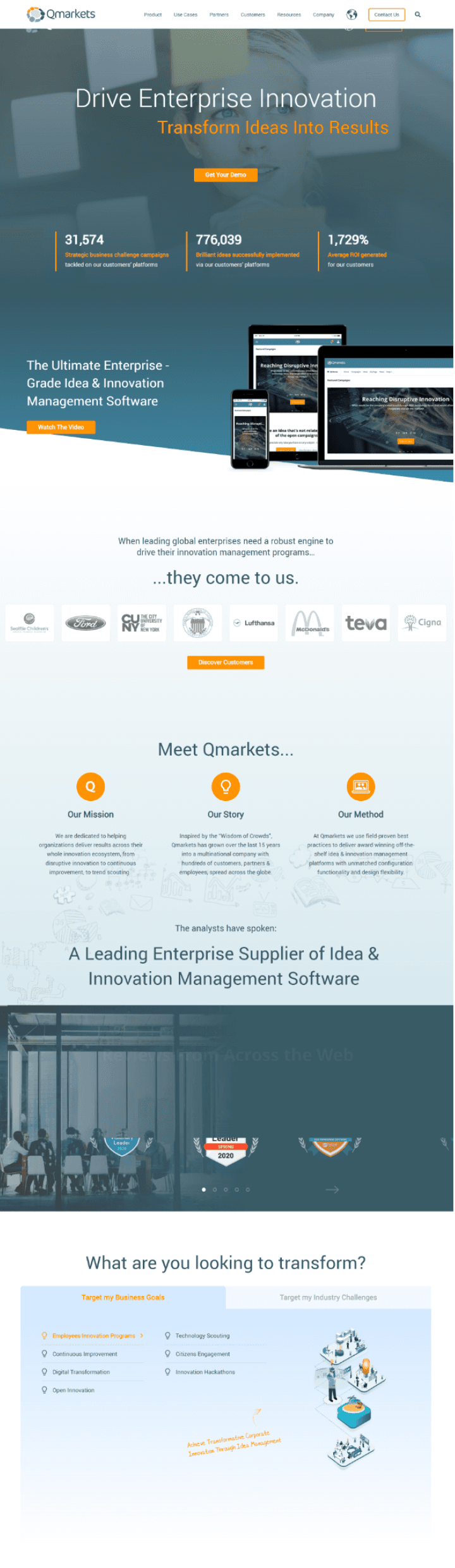
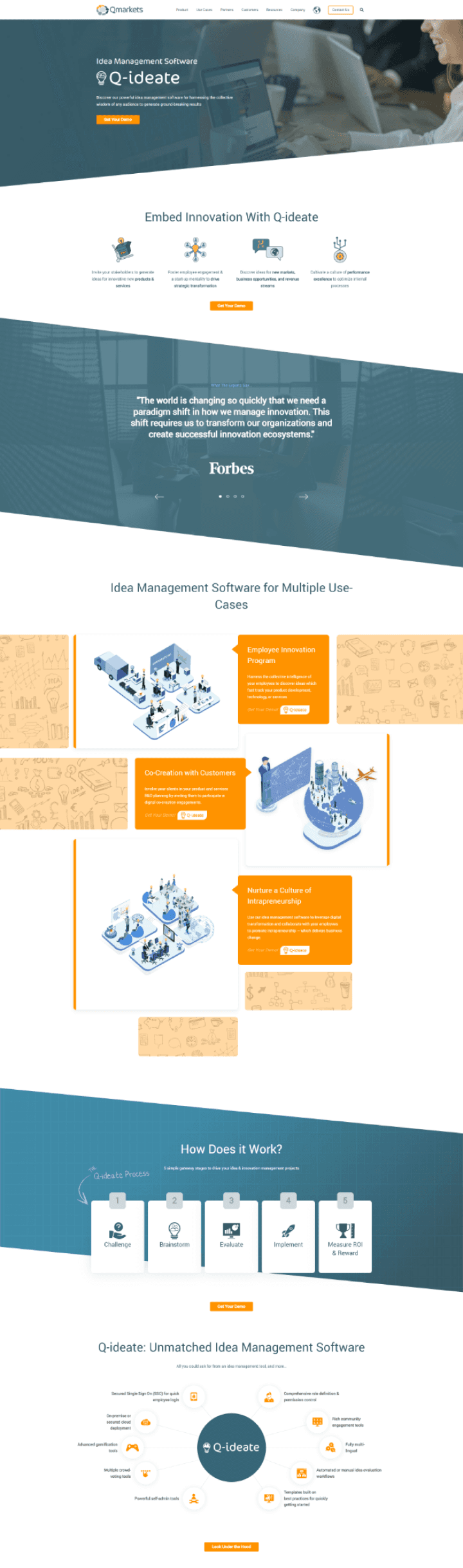
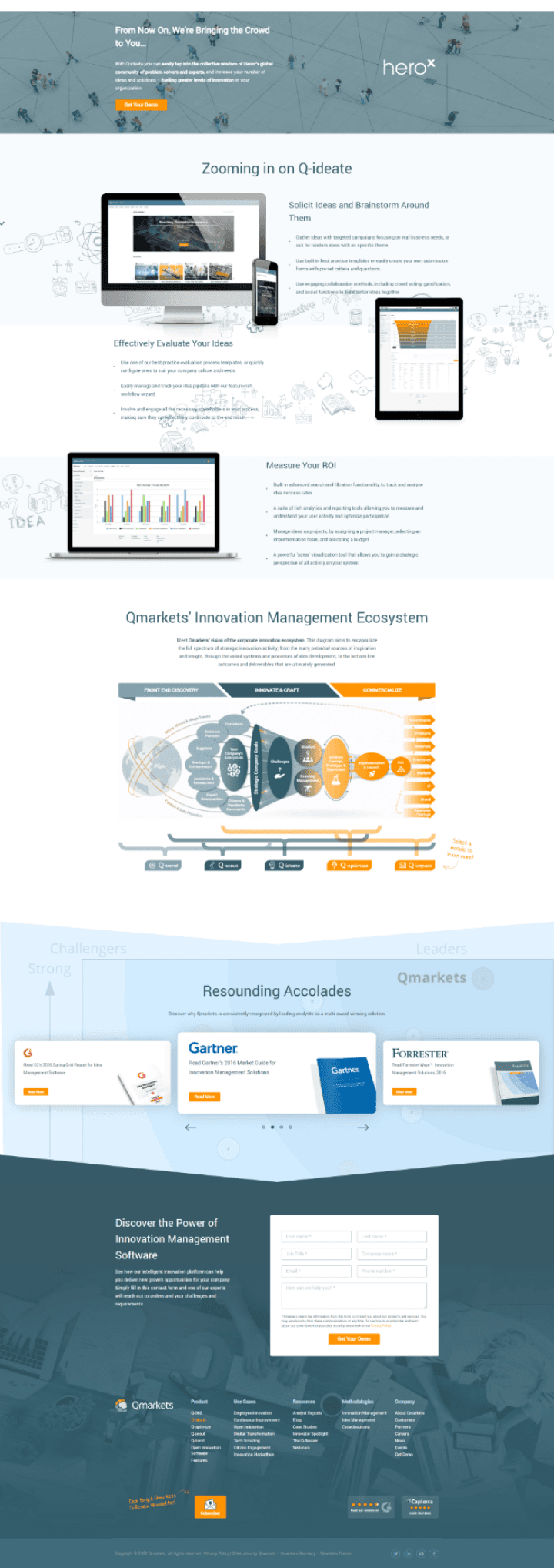
Old website- Product page
Old website- Homepage
Research
To understand exactly why the old site wasn't performing, I investigated three key areas. Here is what I found:
Analyzing Heatmaps
Users stop reading very quickly. Most visitors leave the page before they even reach the middle, missing the most important content because of the clutter.
Interviewing the Sales Team
There was a disconnect. Sales reps reported that leads kept asking about "Implementation" and "Support", crucial information that was buried and hard to find on the site.
I analyzed successful SaaS websites and identified a clear pattern we were missing:
Visuals First: Unlike our text-heavy site, competitors prioritize product mockups and benefits early on to build immediate understanding.
SEO & Trust: They utilize bottom-page FAQ sections to answer user concerns and boost search rankings.
Structured Discovery: Content is organized into clear "Solution Pages" (mapping challenges to solutions) and a centralized Resource Hub for easy browsing.
The Strategy: Since we could not reduce the extensive content due to business and SEO requirements, the UX strategy had to shift focus entirely to structure and scannability. I realized we needed to transform the experience from text-heavy to visual by prioritizing product mockups and benefits early in the journey. Simultaneously, to bridge the trust gap, we needed to surface critical support information through accessible FAQs and a centralized Resource Hub, utilizing smart navigation tools like sticky sidebars and accordions to organize the technical data without overwhelming the user.
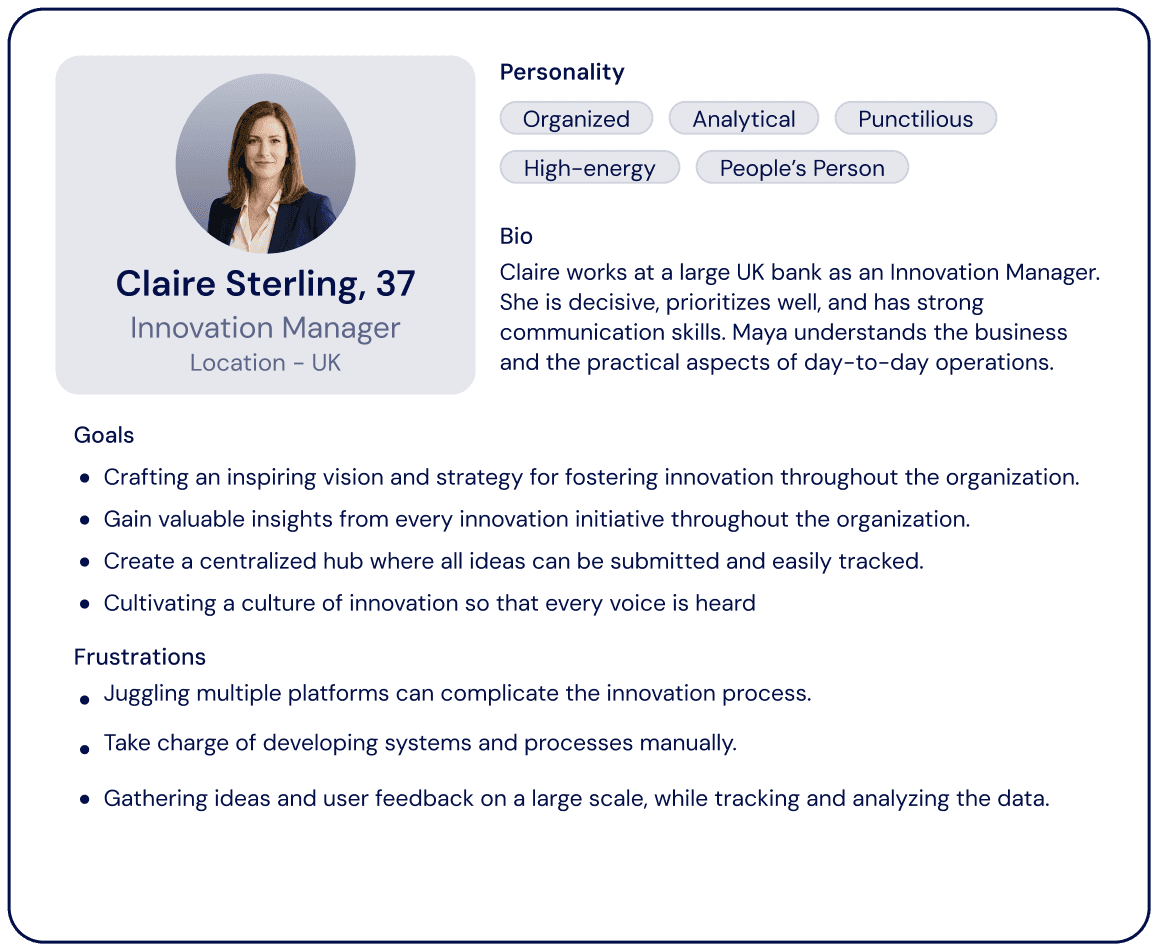
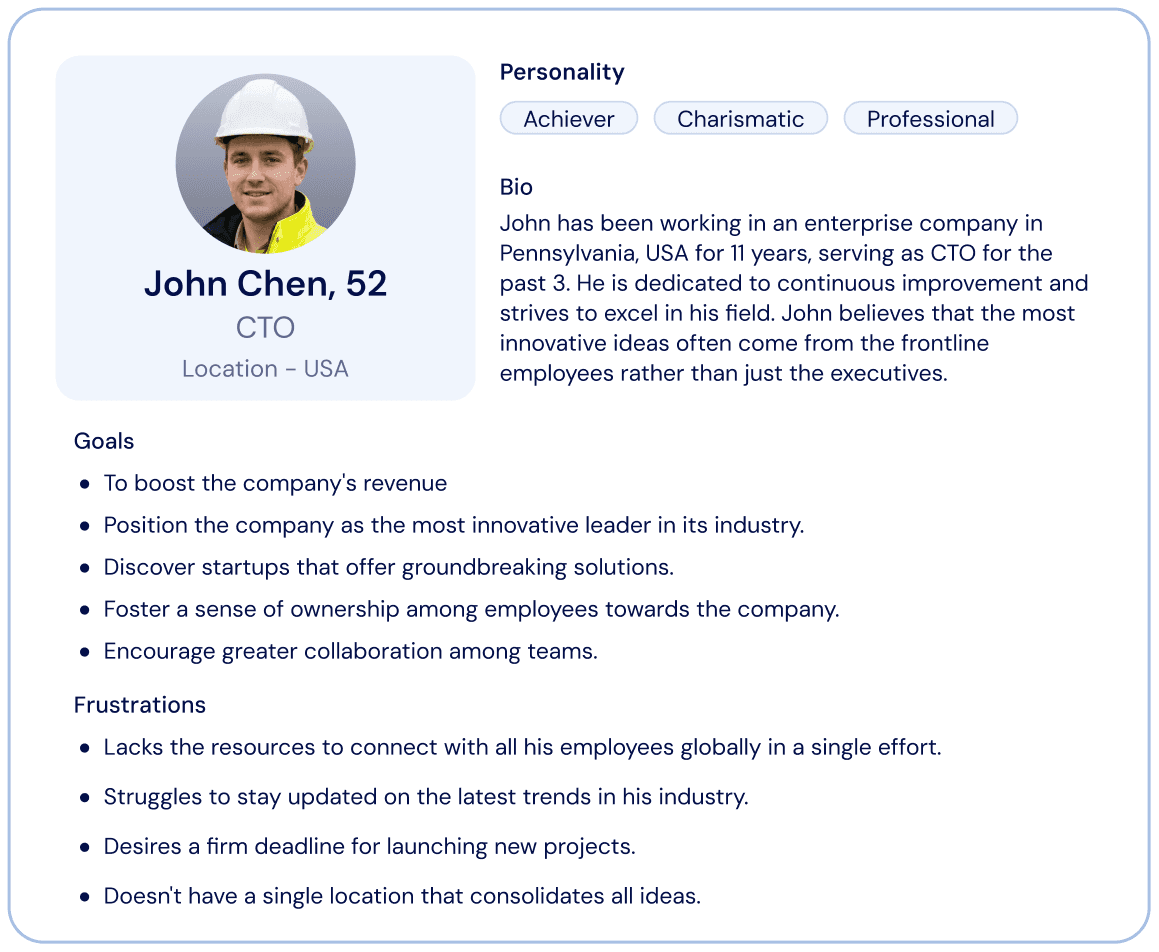
The Personas
The platform serves two distinct types of decision-makers. While the Innovation Manager is focused on the daily operation and functionality of the tool, the C-Level Executive is looking for strategic value and business impact. The new website had to speak to both, offering detailed features for the user and high-level benefits for the buyer.
User Flow
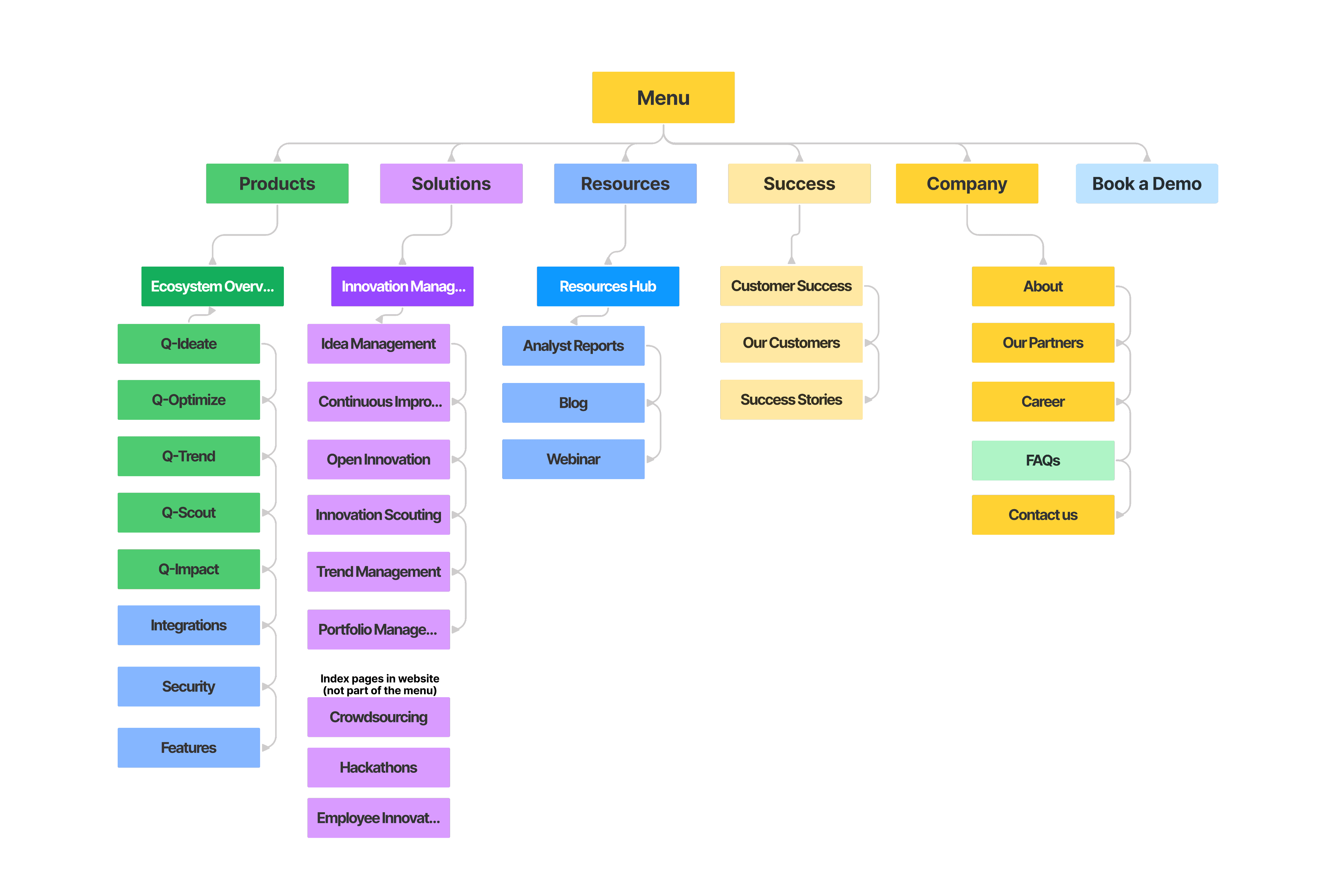
The primary objective was to focus the incoming lead's journey. The previous navigation was overcrowded with secondary categories (like Partners) and excessive nesting, which distracted users from the core value proposition.
I consolidated the top-level navigation to reduce cognitive load, removing distractions to create a clear path for investigation and conversion.
Site Architecture
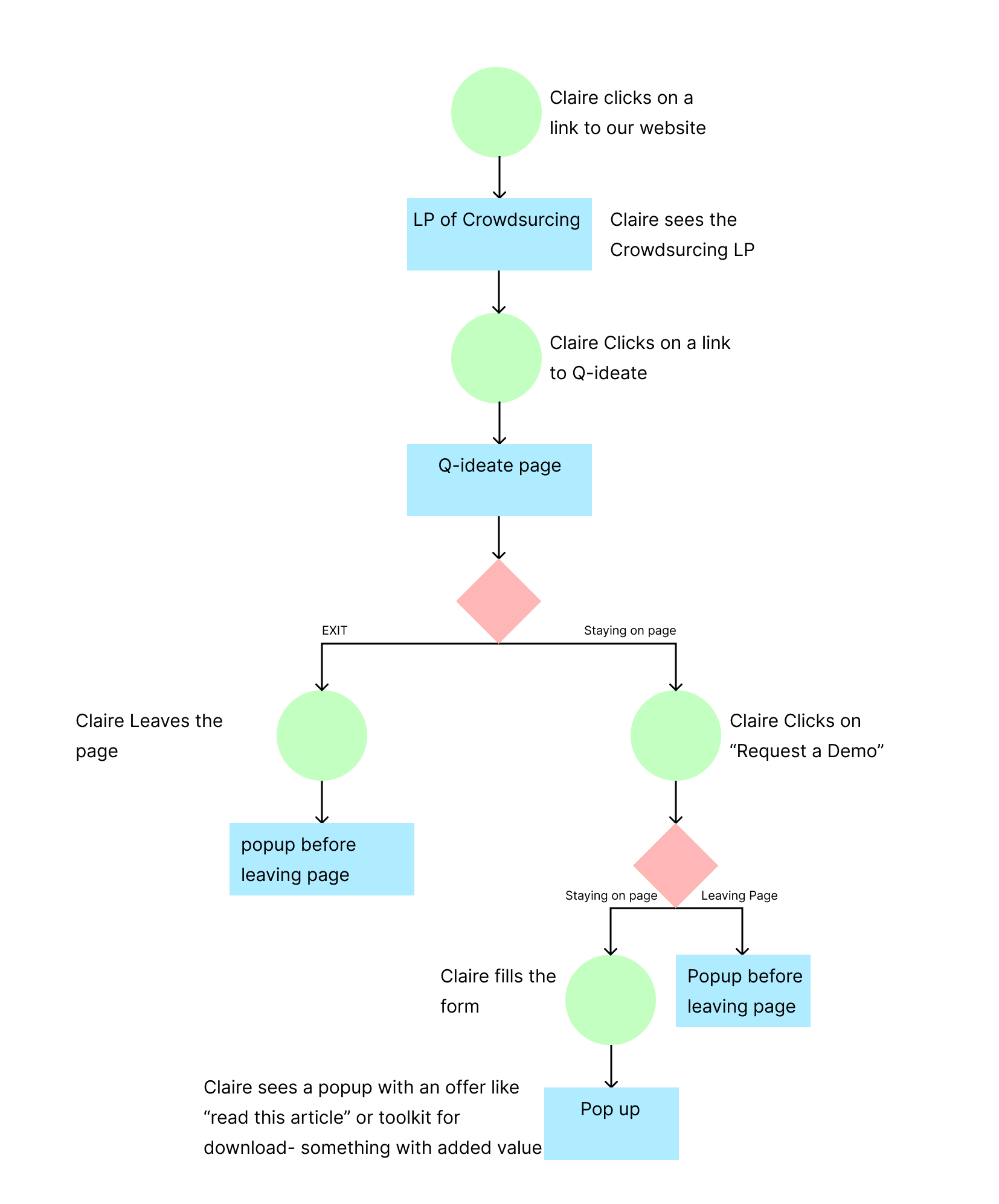
User Flow #1
The Solution
To resolve the conflict between content density and user experience, I moved away from rigid text blocks to a modular component system. This approach allowed us to maintain the extensive technical information required by stakeholders while breaking it down into digestible, interactive segments that guide the user rather than overwhelm them.
Home Page
The homepage serves as the main gateway. To prevent the "endless scroll" effect, I restructured the layout to prioritize interaction and self-selection.
Dynamic Product Tabs
Instead of listing products vertically, I implemented a horizontal tab system. This keeps the interface compact, allowing users to switch between product lines and view key details without losing context.
Trust & Support
Addressing the sales team's feedback, I elevated the Customer Success section and integrated an FAQ module directly into the main flow to answer implementation questions upfront.
Qmarkts’ Home page wireframes


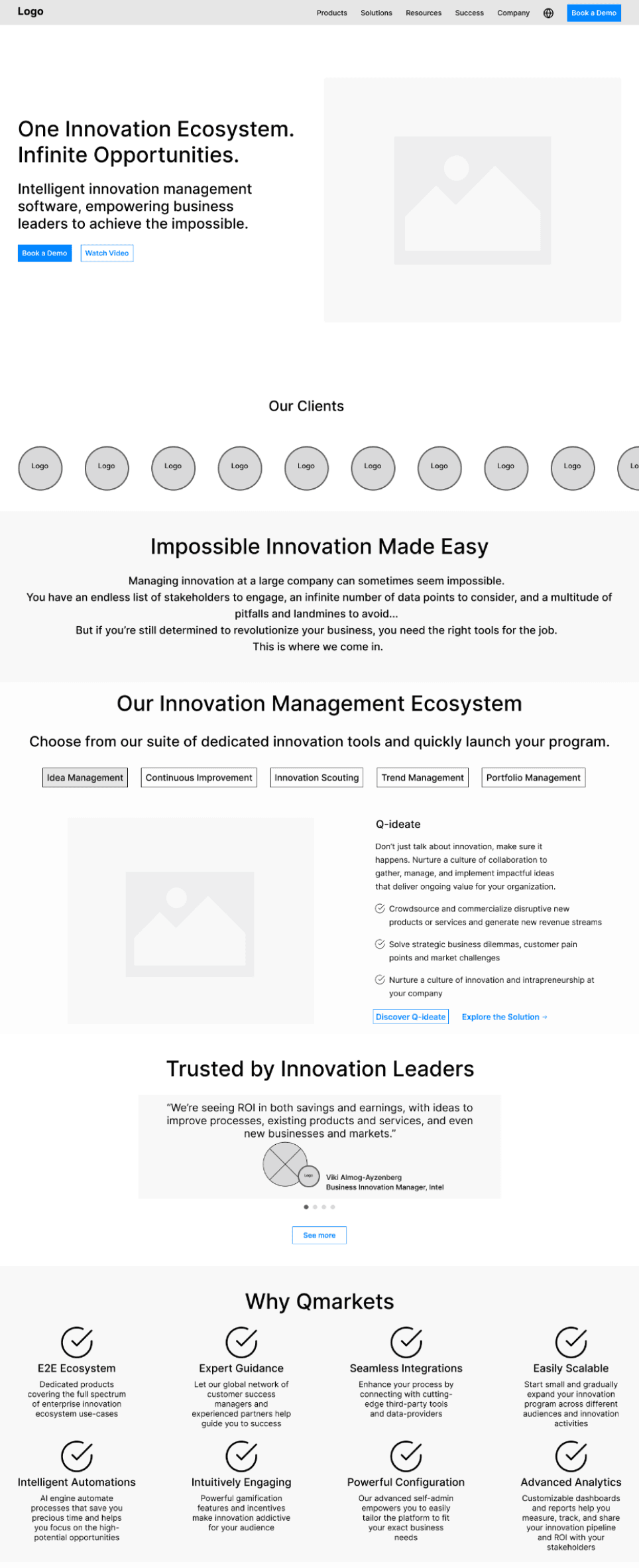
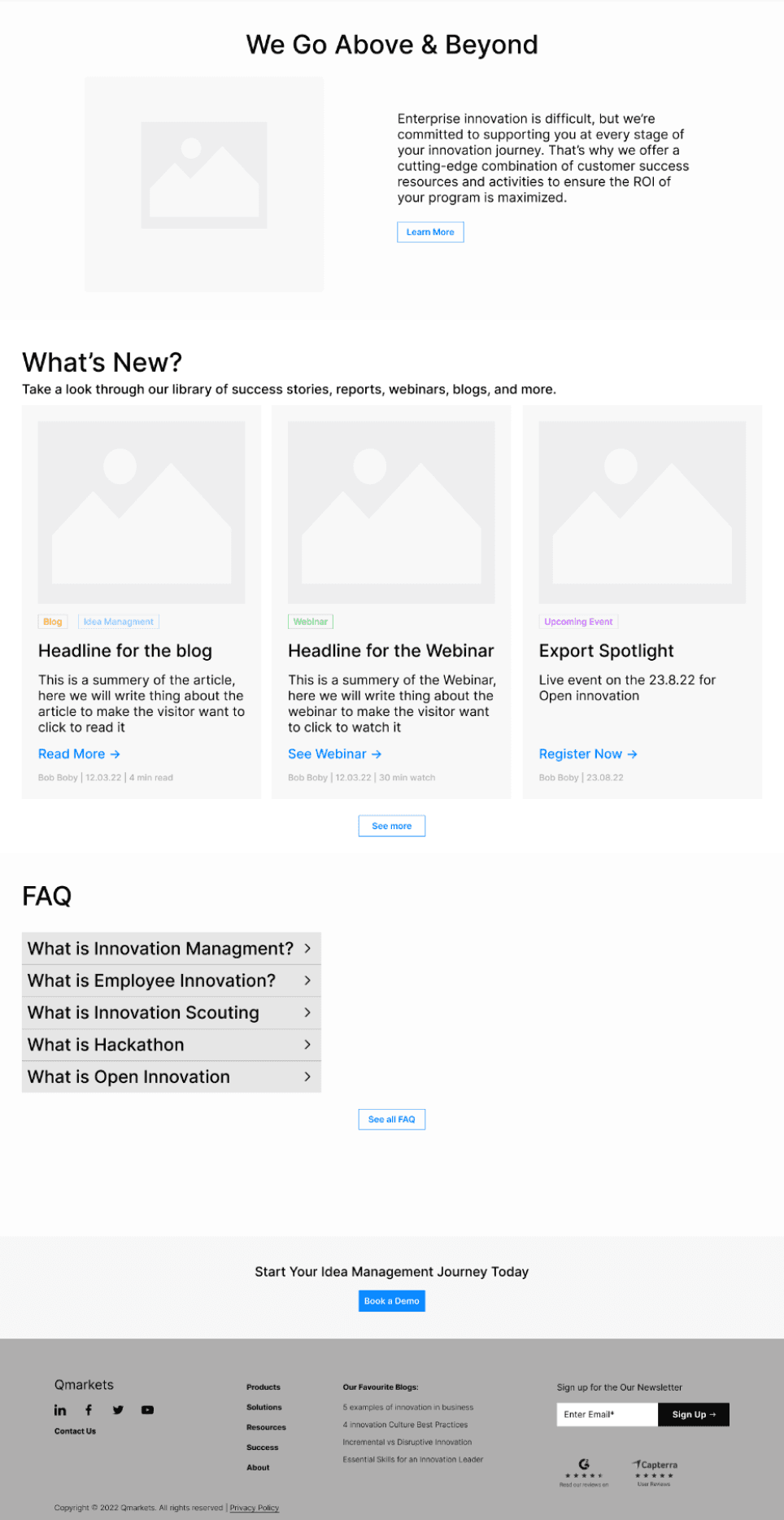
Qmarkts’ Home page design desktop

Qmarkts’ Home page design mobile

Solution Pages
To transform the heavy technical specifications into a digestible narrative, I focused on structure and user control.
Sticky Side-Navigation
To ensure easy wayfinding within the long-form content, I implemented a fixed sidebar menu. This acts as a persistent "Table of Contents," anchoring the user and allowing them to jump instantly between sections without excessive scrolling.
Smart Accordion System
I replaced long static lists with an interdependent accordion mechanism. Opening one section automatically closes the others, ensuring the user is never overwhelmed by too much open text while keeping the interface clean and focused.
Dynamic Layouts
To prevent "scroll fatigue," I designed a unique layout for each category (Challenges, Solutions, Benefits). Varying the visual structure keeps the user engaged and helps distinguish between different types of information.
Solution page
Resource Hub
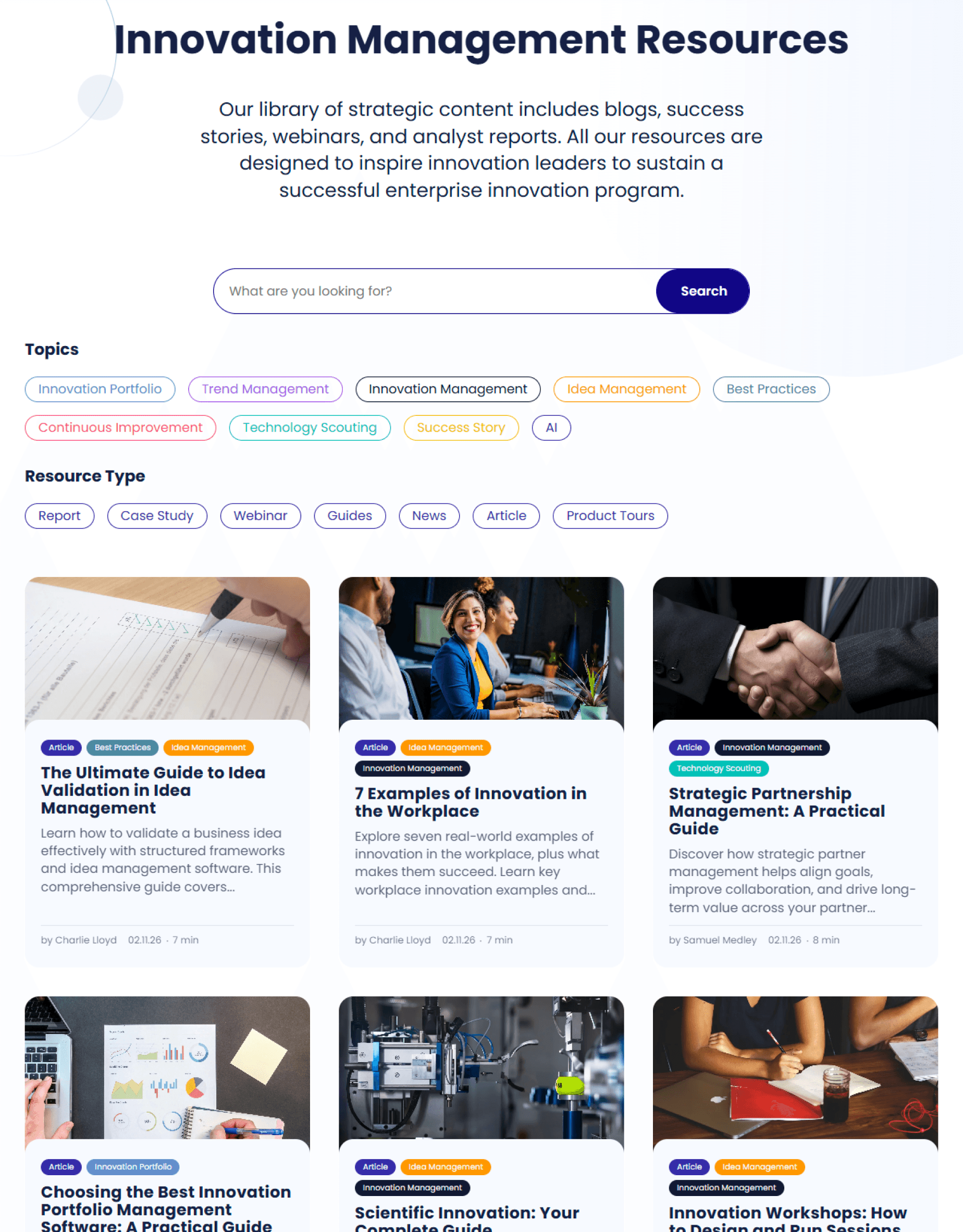
Previously, valuable content was scattered across disjointed pages, making it difficult for users to find relevant information. I consolidated all assets into a single, unified Knowledge Center.
Unified Repository
I aggregated Blogs, Webinars, Whitepapers, and Case Studies into one central feed. This allows users to explore the full breadth of Qmarkets' expertise in one location.
Content Filtering
To manage the volume of content, I designed a robust filtering system. Users can now sort content by Tags or by the research bar, quickly narrowing down hundreds of resources to find exactly what they need.
Visual Consistency
I created a standardized Card UI system that presents different content types (video vs. article) in a cohesive grid, maintaining visual harmony while clearly labeling the format.
Results & Impact
Following the launch of the new website, the feedback from internal stakeholders was immediate.
Empowering Sales
The sales team reported a significant reduction in basic questions. Leads now arrive better informed, having already self-selected the right solution via the new navigation paths.
Increased Engagement
The new Resource Hub became a primary tool for nurturing leads, allowing prospects to educate themselves before the first demo.
Scalability
The modular design system allowed the marketing team to launch new campaigns and landing pages 50% faster, without requiring constant design support.